Why Use a Passport Photo Resizer? (US, UK & Canada Official Specs)
Printed passport photos, online renewal, visa applications and DV entries can have different requirements, even within one country. Read the official instructions for your exact application before choosing a preset.
This tool helps with dimensions, visible framing and basic file-size checks. It does not validate identity, facial proportions, lighting, background, photographer requirements or official acceptance.
How Document Photo Sizing and File Checks Work
Choose the matching application preset. Editable presets let you adjust framing and export at the selected pixel dimensions; the UK online mode instead checks the original without cropping or re-encoding it.
Review the reported dimensions and byte checks, then inspect your photo against the full official requirements. These checks do not certify compliance. Image processing takes place locally on your device.
How to Resize Passport Photo Online in 4 Steps
- 1Read the official requirements for your application and choose the matching country/preset.
- 2Select the original photo. In an editable preset, adjust framing only where your application permits it.
- 3Generate or check the result and review pixel dimensions and file-size messages.
- 4Inspect the image against the full official instructions before deciding whether it can be submitted.
Country and application references
Checked on 8 October 2026. Recheck the issuing authority before submitting; its current instructions take precedence over this tool.
| Workflow | Size reference | Important distinction |
|---|---|---|
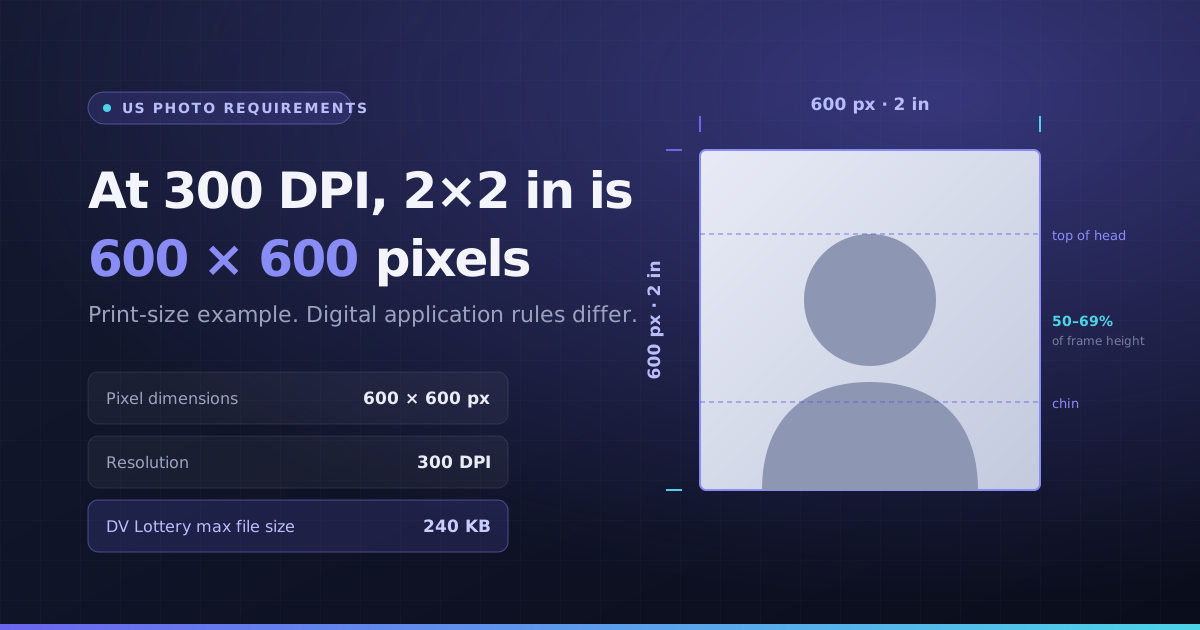
| US paper passport photo | 2 × 2 inches | A 600 × 600 file is a 300-pixels-per-inch calculation, not a universal digital rule |
| US DV image | 600 × 600 JPEG; up to 240 KB | Check the current entry instructions and full composition rules |
| UK online | At least 600 × 750 pixels; 50 KB–10 MB | Use an unaltered original; the tool checks basic file properties |
| UK paper | 35 × 45 mm | Follow printed-photo quality and no-alteration rules |
| Canada paper | 50 × 70 mm | Commercial photographer and professional printing requirements apply |
Print-size calculation example
Two inches at 300 pixels per inch equals 600 pixels. This calculation helps explain a print layout; it does not add a photographer’s certification, verify facial composition or set the physical size chosen by your printer.
Key Benefits
- US square-photo and DV size presets
- UK online original-file check
- UK and Canada print-size references
- Visible framing, dimensions and file-size checks